KNOW YOUR YIELD.
Run your whole hospo operation from one app. A live profit pulse for every brand you run, AI forecasts that read the weather, supplier orders built in one tap, invoices that file themselves, prep lists your team signs off, and pay runs down to the bank file. Built around your menu, your recipes and your suppliers — for food trucks, market stalls, restaurants and caterers.
See your operation, running itself
Live sales to supplier orders to payroll — one continuous flow.
Every site on one home screen
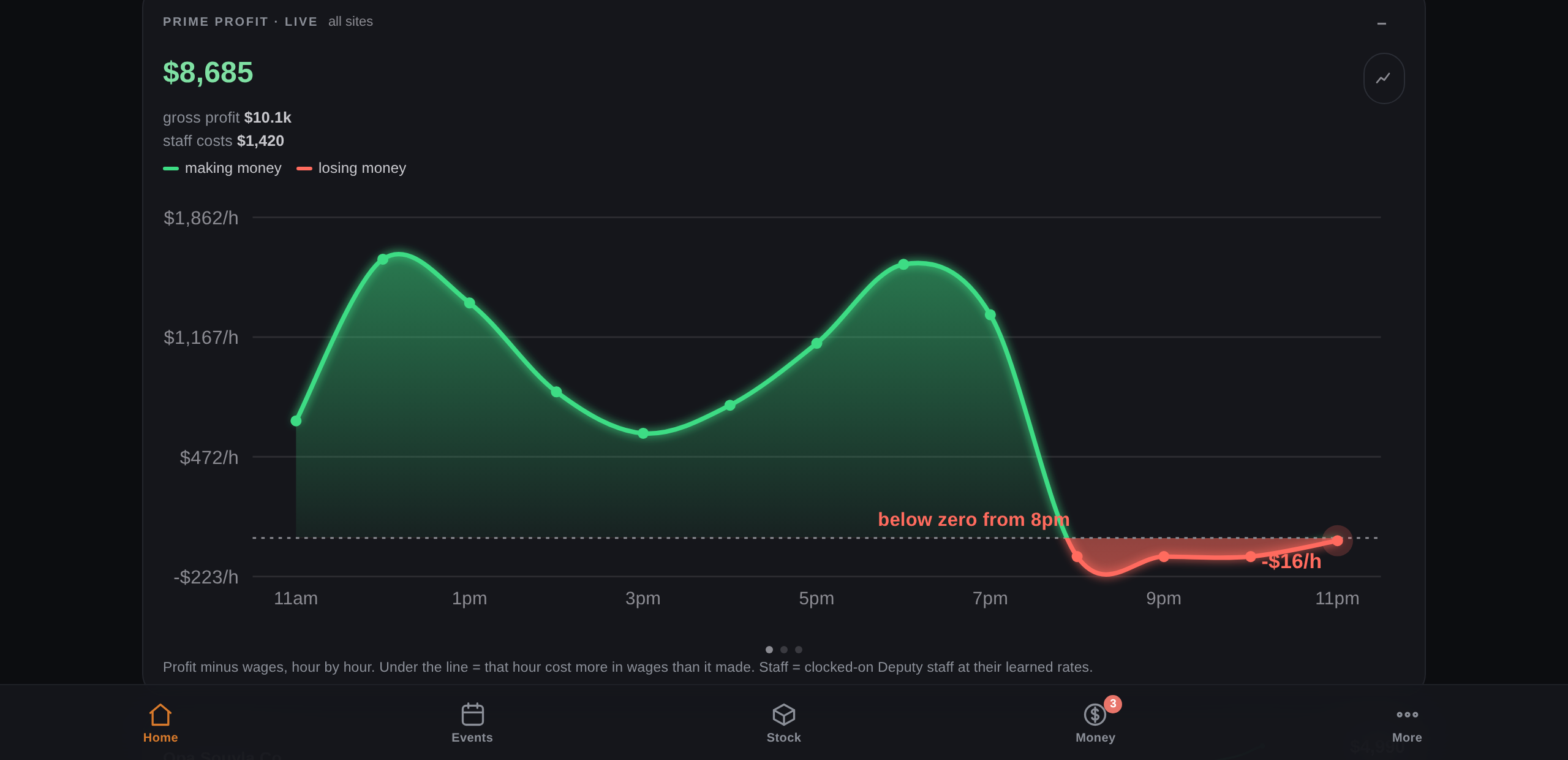
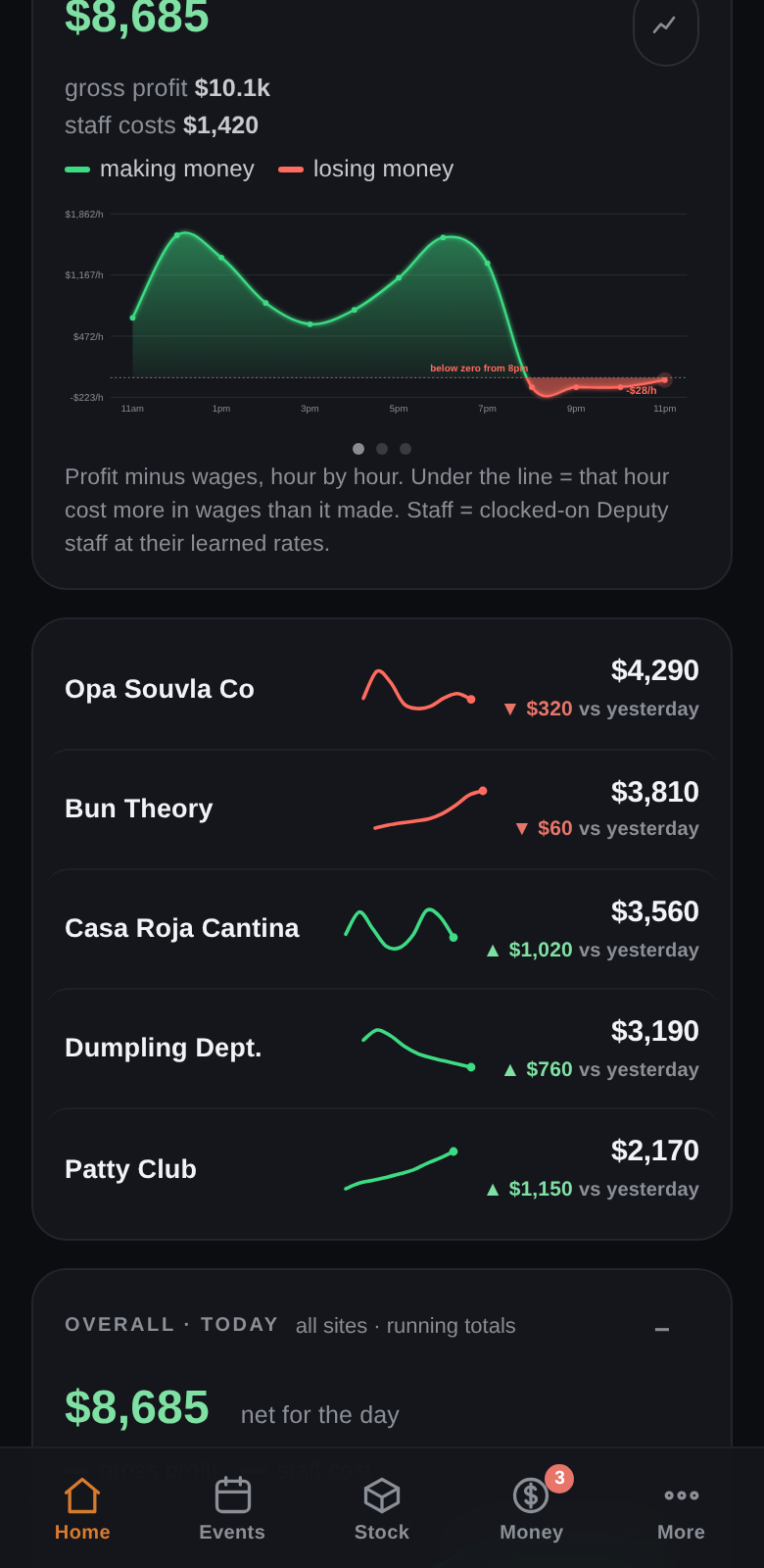
Prime profit for the whole group updates live through the night — profit minus wages, hour by hour. Under it, one row per site: today's take, a thumbnail trend line, and whether it's up or down on yesterday. Green is winning, red needs a look. Tap a site to see just its night.
- Live profit-vs-wages curve for the group
- A thumbnail chart per site — up or down at a glance
- Tap any site to filter every chart to it
Everything below runs live today
Not a roadmap — these screens run multi-site festival and restaurant operations right now.
Know tomorrow, today.
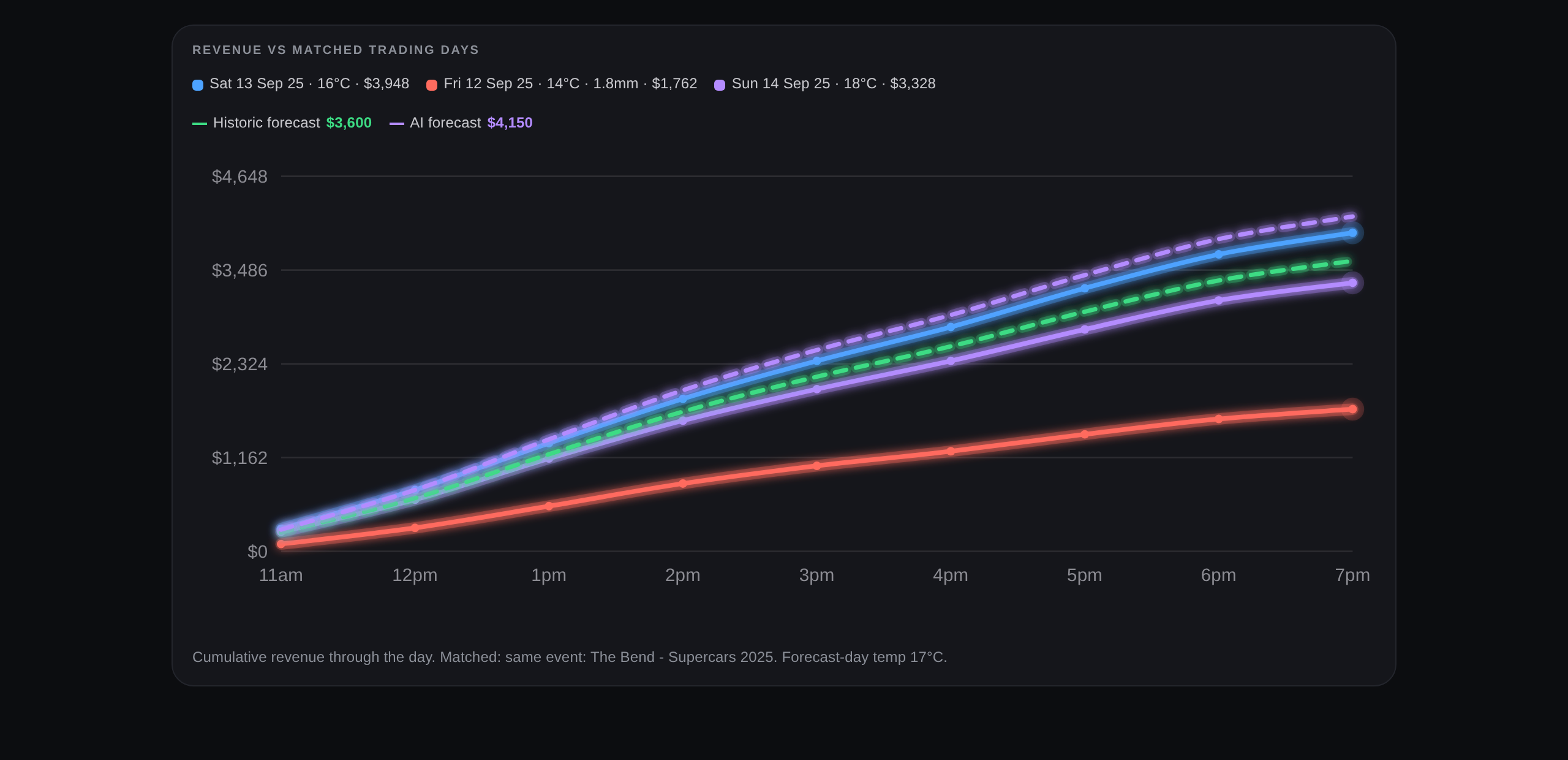
AI demand forecasts anchored on your own history — the same event in past years first, matched trading days when there isn't one — with Bureau of Meteorology weather priced in and a one-sentence note a busy owner reads in three seconds.
- Finds the same festival or event from previous years automatically
- Weather, fixtures and your own crowd notes priced in
- Every number explained in one plain sentence
- Scored against actuals after every event, so it keeps learning
A whole weekend's ordering, done in an instant.
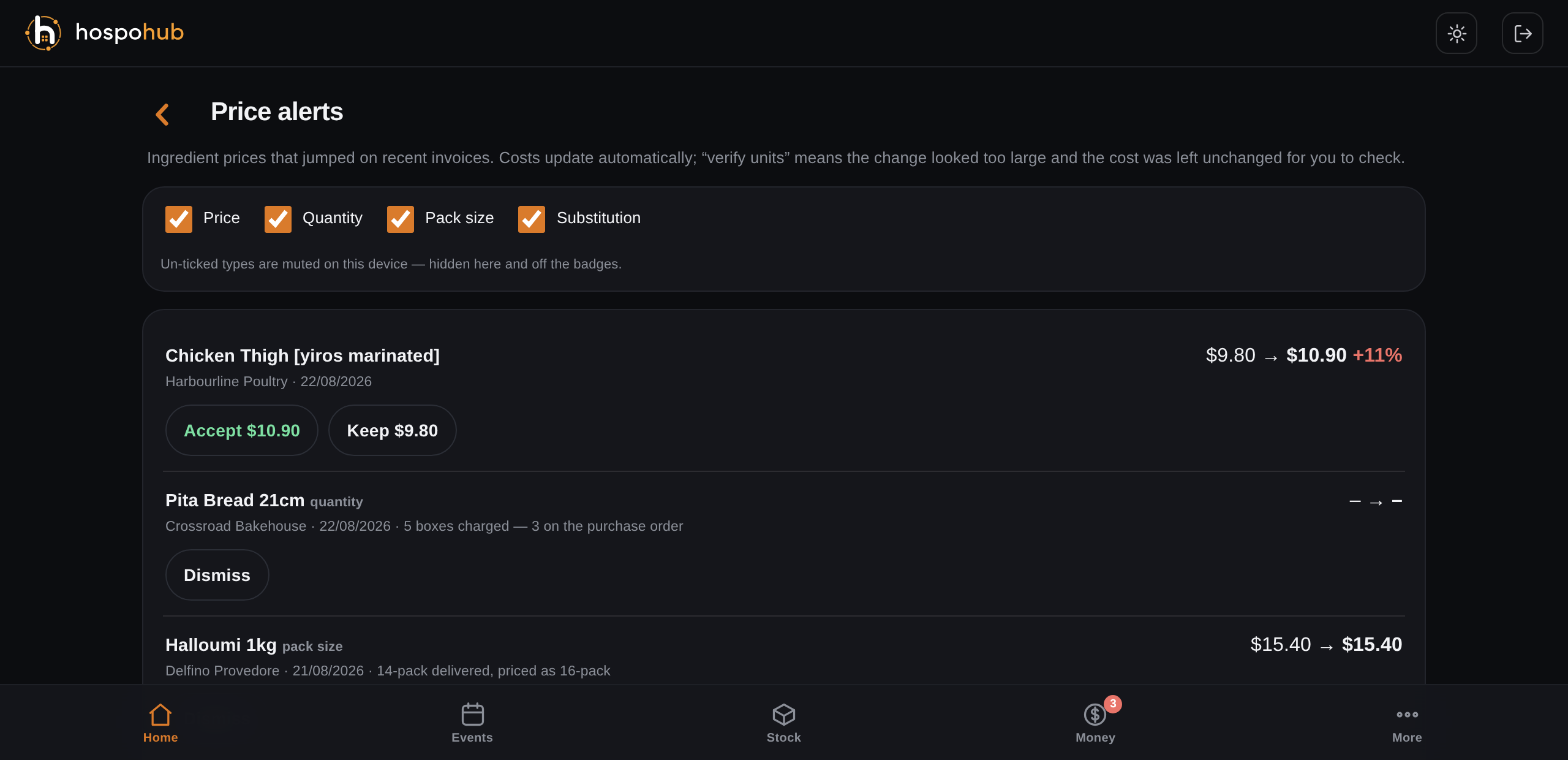
The forecast builds every purchase order for you — quantities, suppliers, delivery dates, instructions. One tap emails them all with PDFs attached. Invoices come back to your own @hospohub.io address, post themselves straight into your stock ledger, and anything off gets flagged: wrong price, wrong weight, wrong pack size, wrong quantity, substituted product.
- Every PO prepared instantly from the forecast
- Invoices read and posted to stock automatically — no data entry
- Five kinds of delivery alert: price, quantity, pack, weight, substitution
- Choose which alert types reach you — accept or reject a new price in one tap
Your kitchen, on rails.
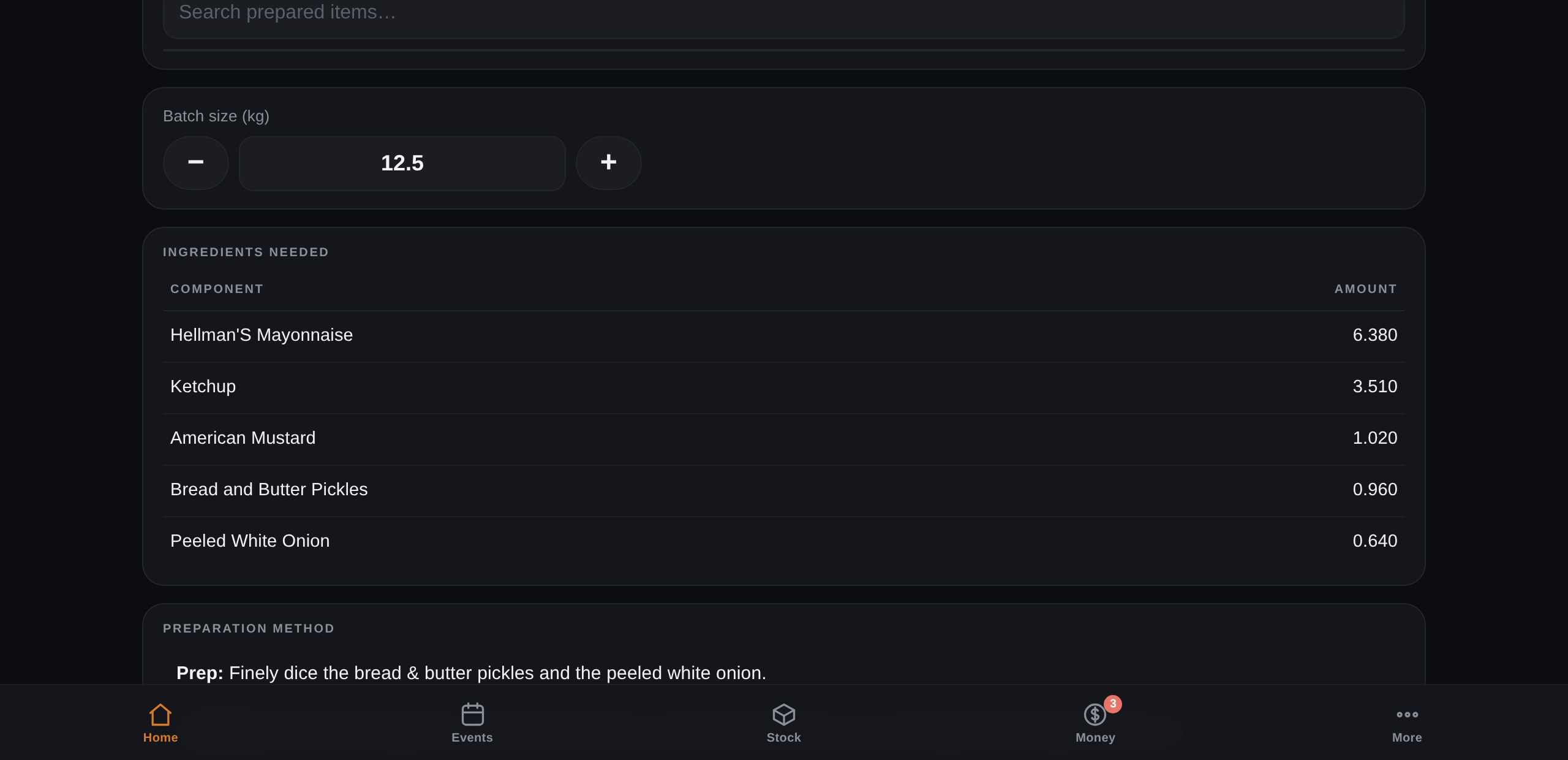
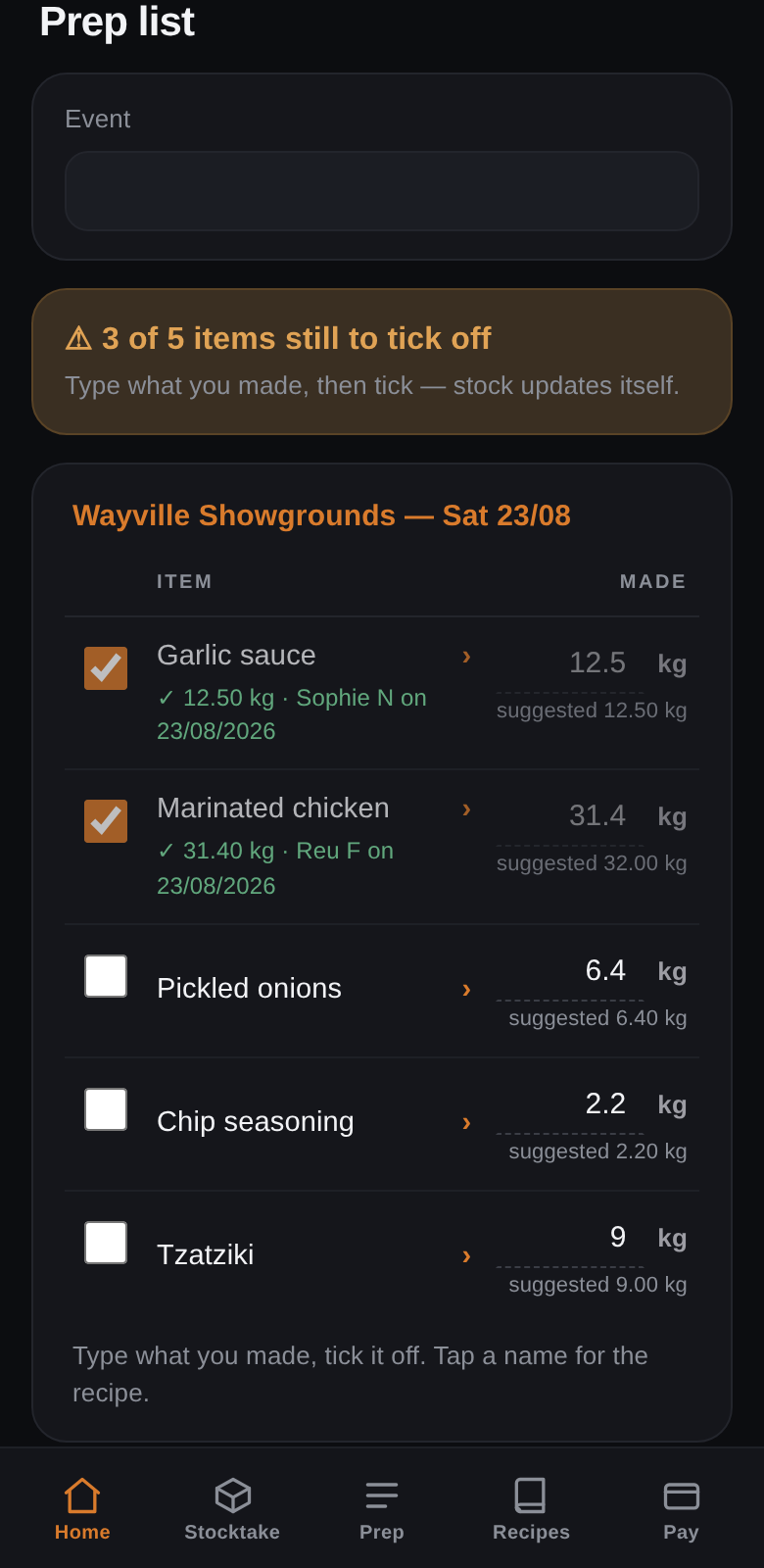
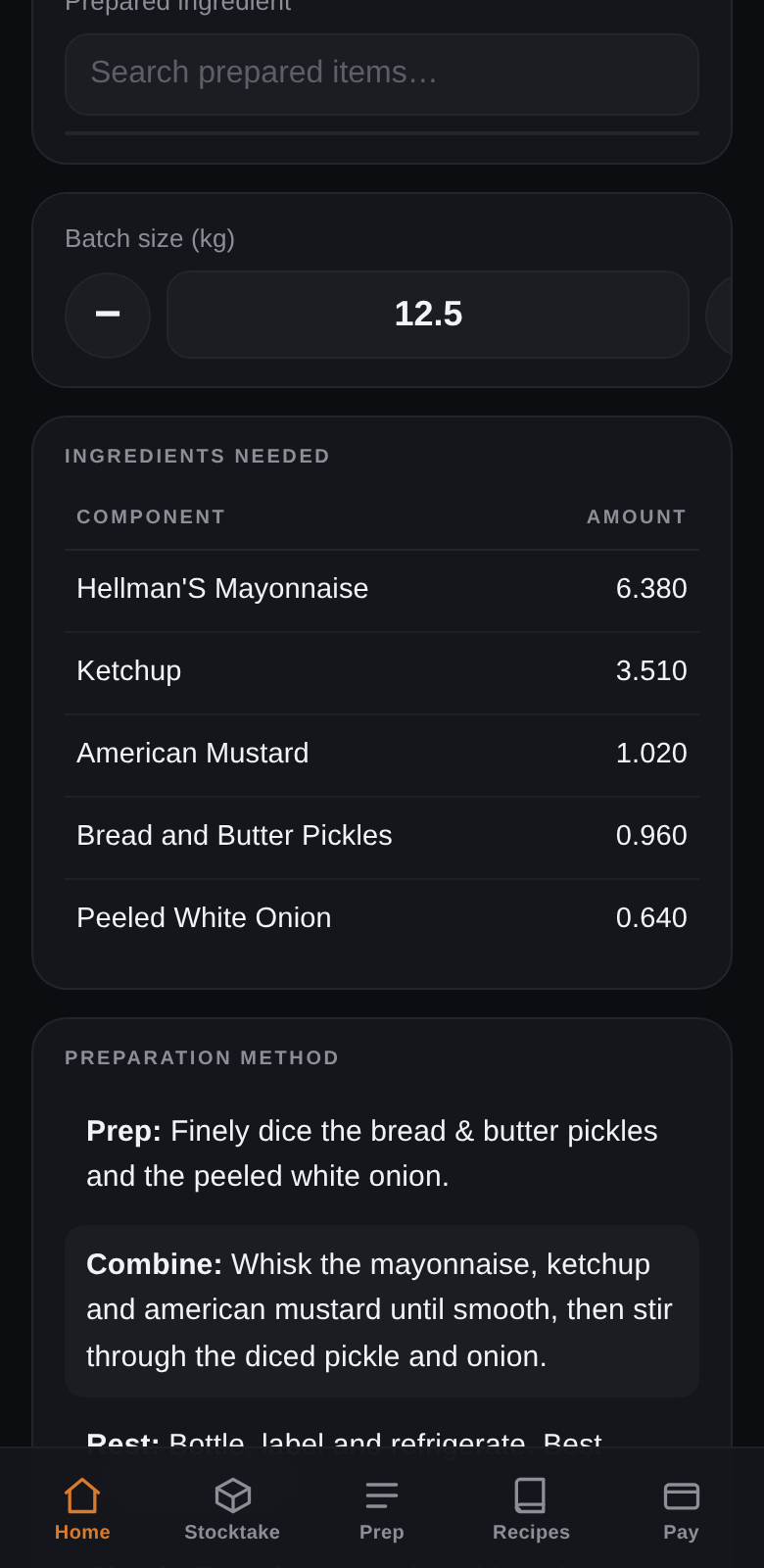
Prep lists scaled to the forecast, ticked off and signed by name as your team works — so everyone is accountable — with recipe cards and step-by-step methods scaled to the exact batch. After the event, enter real leftovers and the app reconciles paper stock against reality, calibrating your yields in one tap.
- Batch quantities calculated for you
- Every completed task signed by the person who did it
- Stock moves automatically as prep completes
- Post-event reconcile turns leftovers into corrected yields
Know what makes you money.
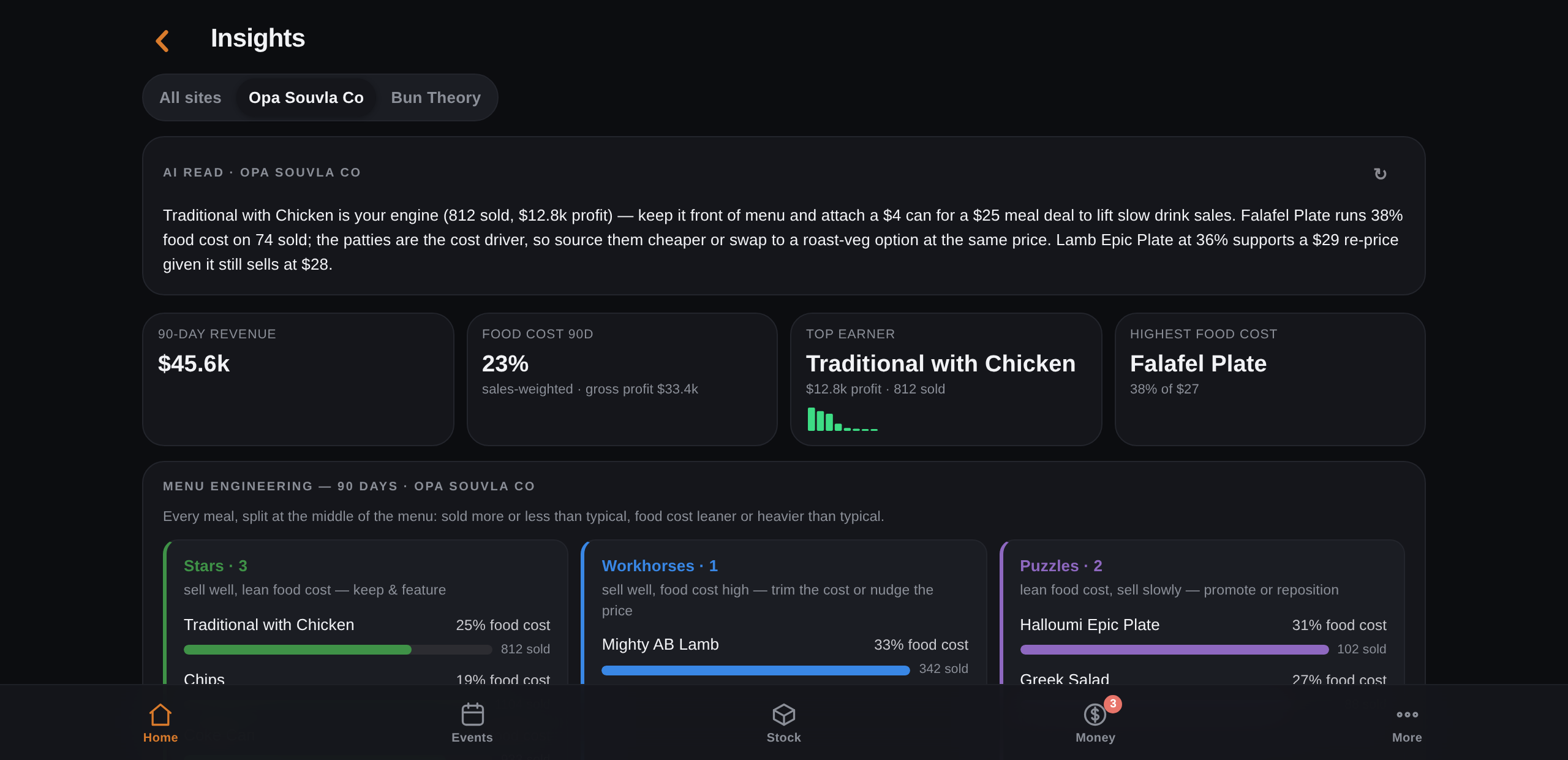
A live pulse for every site — one row per venue with today's take and yesterday's comparison — then a full event P&L: revenue, food cost, wages, site costs and GST handled properly. Insights breaks every brand's menu down by food-cost %, and an AI adviser turns it into concrete moves: what to push, what to re-price, which ingredient to re-source.
- Every site's profit live through the night, wages included
- Menu engineering per brand — food-cost % on every item
- AI advice that names the item, the number and the fix
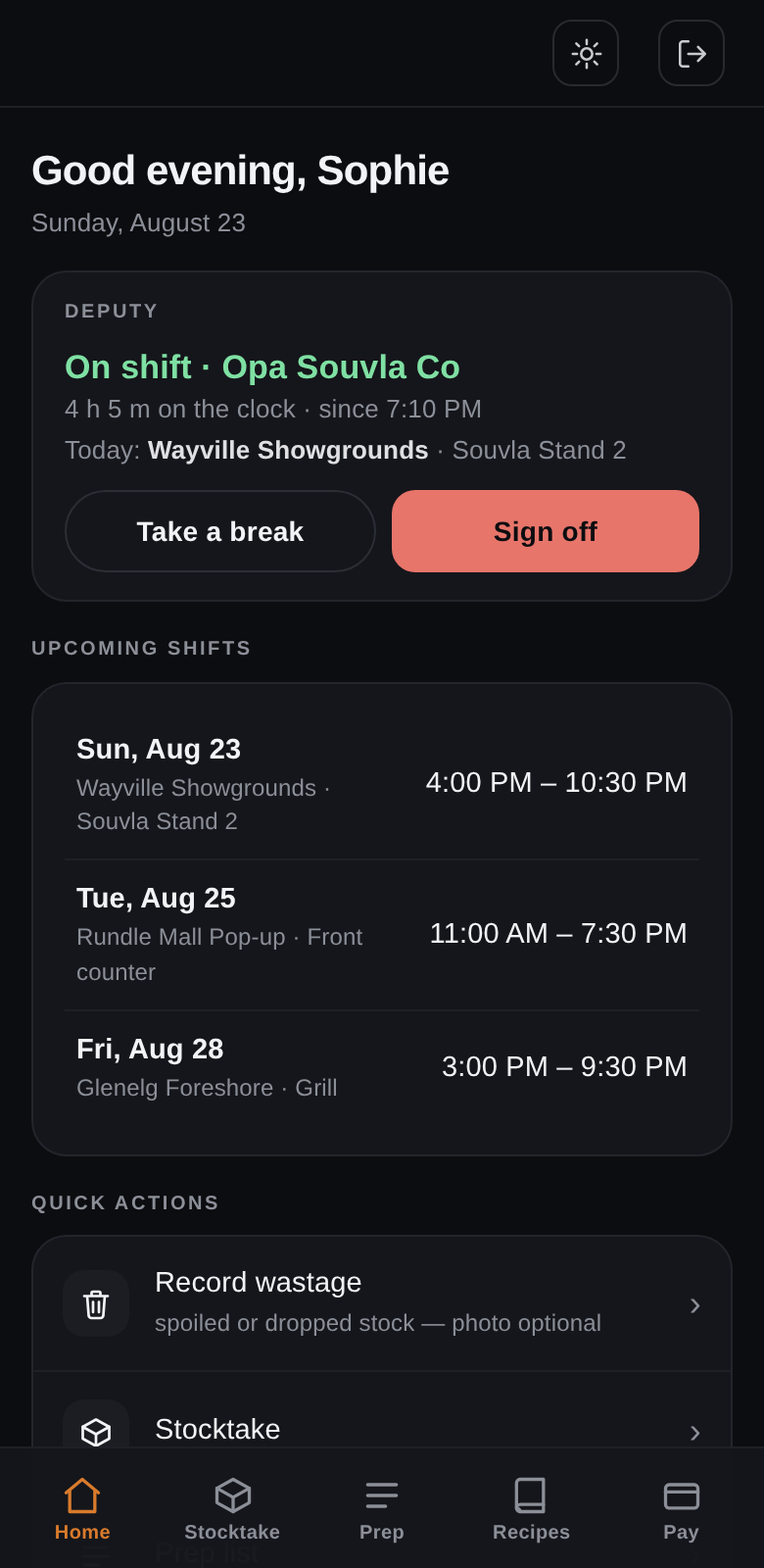
- Staff sign-on with location check; contractor claims invoiced and paid in one bank file
Their whole shift, on their phone
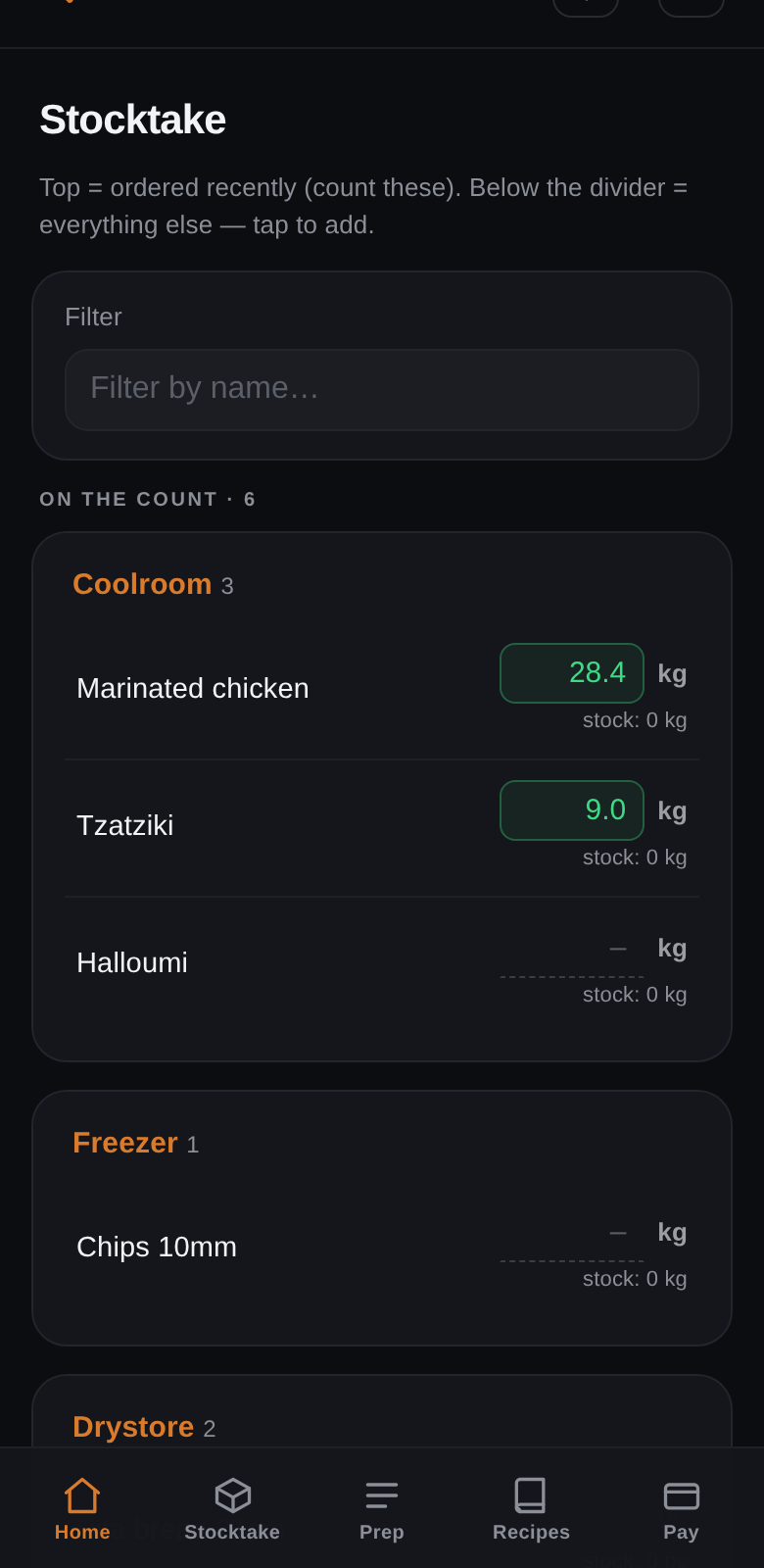
Prep lists, stocktakes, recipe cards — and clock on/off that only works at your sites.
You run the kitchen. We build the system.
Create your account
Sign up free, add your business and each site — truck, restaurant, stall or catering kitchen.
Send us your operation
Upload your logo, menus, recipes, portion weights, supplier invoices and trading history — online forms or just a CSV / PDF / photo.
Connect suppliers & POS
We notify your suppliers about your new invoice address and link your POS for live sales.
Get your custom app
We build your app around your exact operation and send it to you — ready for your next trading day.
Your own invoice inbox
Every business gets a dedicated address on hospohub.io. We notify your suppliers once — from then on, every invoice lands in your system automatically. No scanning, no data entry.
Simple pricing that scales with you
Priced by sites and staff, like your other tools — no lock-in, cancel anytime.
Solo
- 1 site
- 5 staff users included
- AI forecasting & instant purchase orders
- Invoice capture + your @hospohub.io inbox
- Prep lists, recipes & stocktake
- Live P&L and margin per item
Operator
- Up to 3 sites
- 15 staff users included
- Everything in Solo
- Live POS connection (Square, Lightspeed & more)
- Staff clock on/off with location check
- Contractor claims, RCTIs & bank-file pay runs
Group
- Up to 8 sites
- 40 staff users included
- Everything in Operator
- Multi-brand P&L & consolidated reporting
- Priority support, direct line to us
- Custom integrations on request
Fair questions, straight answers
What do I actually get?
A private operations app for your business — on your phone and desktop — with your menu, recipes, suppliers and sales history already loaded. Forecasting, ordering, prep, stocktake, invoices and P&L all work out of the box because we set them up for you.
How long does setup take?
Once you've completed onboarding (about 20–30 minutes of uploads), your app is typically prepared within a few business days. We check your data with you before going live.
What formats can I upload?
Whatever you have: CSV exports from your POS, PDF menus, spreadsheets, even photos of your recipe book. You can also type menus, recipes and portion weights directly into the onboarding forms.
How does the POS connection work?
For Square and Lightspeed we use each provider's official secure connection — you click Connect, log in to your POS account, and approve access. You never share passwords or API keys with us. If you'd rather not connect, a simple daily CSV upload works too.
Do my suppliers have to change anything?
Only where they email your invoices. We send each supplier a short note (you're CC'd) asking them to send invoices to your dedicated invoice address. Everything else about your supplier relationships stays the same.
Is my data safe?
Your data lives in an isolated, access-controlled database and is used only to run your app. It is never shared with other businesses or sold.
Ready to run a sharper operation?
Sign up free, send us your menu and suppliers, and have your own operations app within days.